Thank You for downloading Encryption Suite!
If your download does not start automatically, please click here.
Follow these 3 easy steps to complete your Encryption Suite installation.
Please provide your e-mail address to receive product updates and significantly discounted special offers on Encryption Suite Pro , in compliance with our Privacy Policy.
Step 1
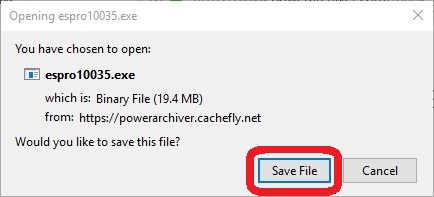
Save the Encryption Suite Pro installation file
Click “Save File” when prompted.
Step 2
2. Open the Encryption Suite Pro installation file to install
Double-click the file in the list of downloaded files. If the list is not open, press Ctrl+J to show it.

Step 3
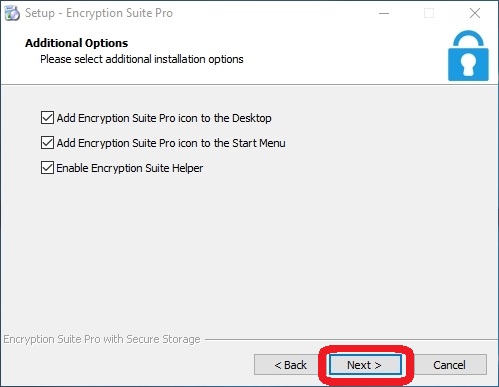
3. Follow setup instructions
Click the Next button in the installer window to begin installation.