





PowerArchiver Free
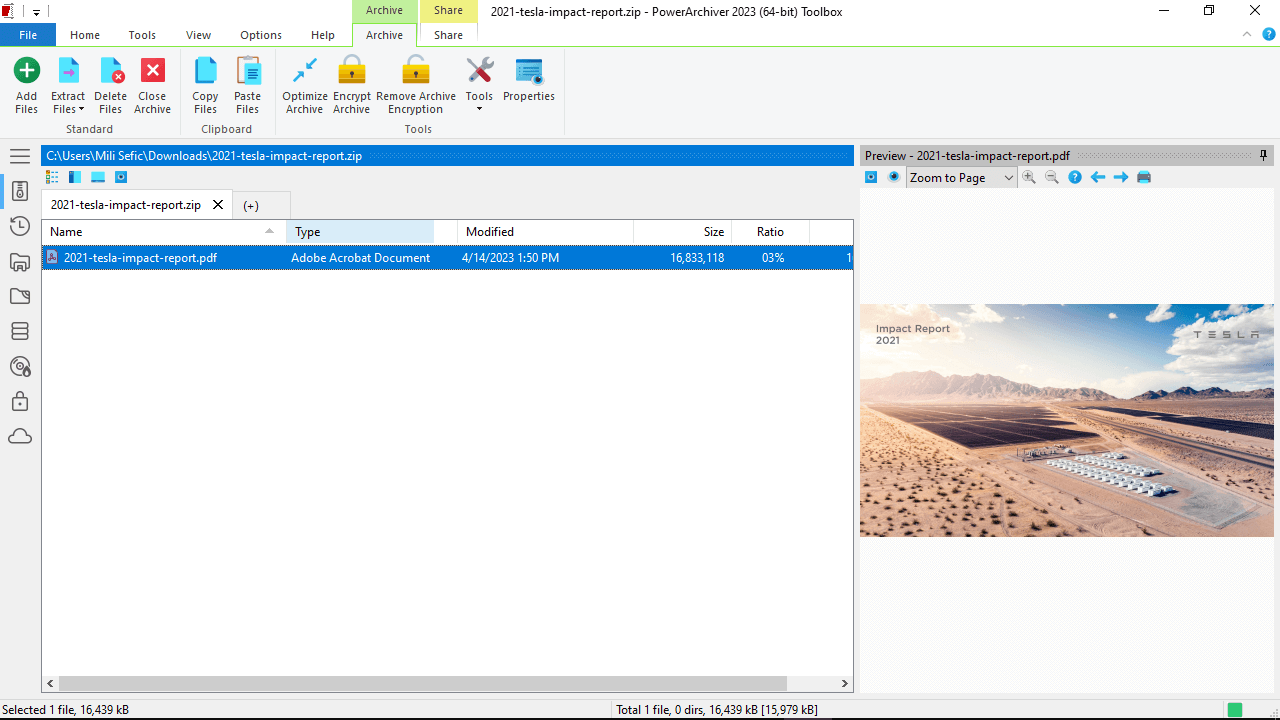
PowerArchiver Free is the same Business codebase — dual-panel archive view, .PA codec, password manager, AES-256 encryption.
The full Business feature set
PowerArchiver editions
| Feature | Business / Standard | Professional | Pro Toolbox | Enterprise |
|---|---|---|---|---|
| License & pricing | ||||
| Price | £17.95 | £29.95 | £41.95 | £49.95 |
| License | Commercial | Commercial | Commercial | Volume / Unlimited |
| Platforms | Win | Win / Mac | Win | Win |
| Archives | ||||
| Open / extract 60+ formats — ZIP, ZIPX, RAR, 7Z, PA, ISO, CAB, TAR, GZ, BZ2 + multi-volume + password-protected | ✓ | ✓ | ✓ | ✓ |
| Create ZIP, ZIPX, PA, 7Z, TAR, GZ, BZ2, CAB + multi-volume + SFX + Archive Converter | ✓ | ✓ | ✓ | ✓ |
| PA Advanced Codec Pack (JPEG, MP3, PDF, EXE) | ✓ | ✓ | ✓ | ✓ |
| Advanced Compression tab (PA Max / Ultra) | — | ✓ | ✓ | ✓ |
| User interface | ||||
| Modern UI — dual-panel Explorer · ribbon · skins · drag-drop · multi-core compression · shell integration · fast start | ✓ | ✓ | ✓ | ✓ |
| Encryption & security | ||||
| AES-256 encryption for ZIP / ZIPX | ✓ | ✓ | ✓ | ✓ |
| PAE / PAE2 encryption | ✓ | ✓ | ✓ | ✓ |
| Filename encryption | ✓ | ✓ | ✓ | ✓ |
| OpenPGP support | — | ✓ | ✓ | ✓ |
| Encryption Suite | — | ✓ | ✓ | ✓ |
| Password Manager & Password Profiles | — | ✓ | ✓ | ✓ |
| Batch / multiple file encrypt & decrypt | — | ✓ | ✓ | ✓ |
| Office file encryption (Word, Excel, PDF) | — | ✓ | ✓ | ✓ |
| Password Policies enforcement | — | — | — | ✓ |
| FIPS 140-2 validated encryption | — | — | — | ✓ |
| FIPS 140-2 validated components (FTP, etc.) | — | — | — | ✓ |
| HIPAA compliance validation | — | — | — | ✓ |
| DFARS trusted encryption | — | — | — | ✓ |
| Backup | ||||
| Enterprise backup with VSS | — | ✓ | ✓ | ✓ |
| Backup scheduling | — | ✓ | ✓ | ✓ |
| Incremental / differential backup | — | ✓ | ✓ | ✓ |
| Backup to local / network destinations | — | ✓ | ✓ | ✓ |
| Backup to cloud / FTP | — | ✓ | ✓ | ✓ |
| Windows Scheduler integration | — | ✓ | ✓ | ✓ |
| Detailed logging with email notification | — | ✓ | ✓ | ✓ |
| Office & cloud | ||||
| Office add-ins (Outlook, Word, Excel) | — | ✓ | ✓ | ✓ |
| Cloud integrations (Dropbox, etc.) | — | ✓ | ✓ | ✓ |
| Cloud Browser (S3, Drive, OneDrive, Azure, Box) | — | — | ✓ | ✓ |
| Send to Secure FTP | — | ✓ | ✓ | ✓ |
| Zip-to-Email plugin | — | ✓ | ✓ | ✓ |
| Standalone apps | ||||
| PACL — PowerArchiver Command Line | — | — | ✓ | ✓ |
| Full Secure FTP client (standalone SFTP/FTP) | — | — | ✓ | ✓ |
| Virtual ISO Drive (mount ISO as CD/DVD) | — | — | ✓ | ✓ |
| Full Data Burner (CD / DVD / Blu-ray) | — | — | ✓ | ✓ |
| DVD-to-ISO conversion | — | — | ✓ | ✓ |
| Burn ISO to disc | — | — | ✓ | ✓ |
| Audio CD burner | — | — | ✓ | ✓ |
| Create advanced ISO (ISO9660 + UDF) | — | — | ✓ | ✓ |
| Enterprise compliance & IT control | ||||
| FIPS 140-2, HIPAA, DFARS | — | — | — | ✓ |
| Centralized IT control & deployment customization | — | — | — | ✓ |
| Enterprise-wide file security policy enforcement | — | — | — | ✓ |
| Audit logging | — | — | — | ✓ |
| Secure file shredder | — | — | — | ✓ |
| Hide disabled features from UI | — | — | — | ✓ |
| Microsoft Purview DLP integration | — | — | — | Soon |
| Failsafe recovery: IT-controlled encryption key | — | — | — | Soon |
| Home Use for Employees program | — | — | — | ✓ |
| No site / country license limitations | — | — | — | ✓ |
| Support & maintenance | ||||
| Updates within PowerArchiver (minor releases) | ✓ | ✓ | ✓ | ✓ |
| Free support (email / KB) | ✓ | ✓ | ✓ | ✓ |
| MSI installer / Group Policy / silent deploy | ✓ | ✓ | ✓ | ✓ |
| Volume licensing | ✓ | ✓ | ✓ | ✓ |
| PowerArchiver Select maintenance (optional) | ✓ | ✓ | ✓ | ✓ |
| Unlimited site license option | — | — | — | ✓ |
Three groups, one principle: non-commercial use
Home users & hobbyists
Currently enrolled, any level
Registered 501(c)(3) and equivalents
Three steps to free
Submit the request form
Receive download link + license code
Install + enter the code
Buy a paid license — same product, different terms
Business
- Full archiver — 60+ formats, PA codec, multi-core ZIPX
- Modern UI · Explorer integration · preview window
- 64-bit native · UAC · VSS-aware · portable
- Commercial-use license
- MSI installer / Group Policy / silent deploy
- Volume licensing eligibility
Professional
- Everything in Business
- Encryption Suite — OpenPGP signing & verification
- PowerArchiver Backup — VSS-aware, scheduled, encrypted
- Office add-ins (Outlook, Word, Excel)
- Cloud integrations · Send to Secure FTP · Zip-to-Email
- Password Manager · Advanced Compression (PA Max / Ultra)
Professional Toolbox
- Everything in Professional
- PACL — PowerArchiver Command Line
- Full Secure FTP client (standalone SFTP/FTP)
- Virtual ISO Drive · advanced ISO (ISO9660 + UDF)
- Full Data Burner — CD/DVD/Blu-ray, audio CD, DVD-to-ISO
- Cloud Browser (S3, Drive, OneDrive, Azure, Box)
Enterprise
- Everything in Professional Toolbox
- FIPS 140-2 validated encryption (AES + FTP)
- HIPAA validation · DFARS trusted encryption
- Centralized IT control · policy enforcement
- Audit logging · secure file shredder
- Home Use for Employees · Microsoft Purview DLP (soon)
Common PowerArchiver Free questions
What's the catch? Why give Business away?
No catch. ConeXware has been profitable for two decades on commercial-use licenses (Business £17.95 / Professional £29.95 / Toolbox £41.95) plus enterprise volume and Enterprise Unlimited contracts; commercial revenue funds development. PowerArchiver Free for non-commercial use is a way to (a) invest in the next generation of users — the student / hobbyist today is the IT decision-maker tomorrow, (b) support mission-driven non-profits that can't afford commercial software, and (c) get the product into people's hands so they evaluate it for their employer's commercial purchase. Same model OSS projects use to fund themselves via paid commercial licenses, just under a proprietary, supported-product wrapper with compliance certifications (FIPS 140-2, HIPAA, DFARS) at the Enterprise tier.
How do you verify eligibility?
Honor system at signup. We don't require .edu email addresses (some legitimate students don't have one) or 501(c)(3) lookup verification (international non-profit equivalents would fail that check). Misrepresenting eligibility violates the license — if we discover that, we revoke the code and the installation falls back to needing a paid license. We may spot-check organizations later (look up your stated employer / institution / non-profit registration). The cost of fraud is borne by you, not us.
I'm a student now. What happens after I graduate?
Once you're no longer enrolled, you're no longer eligible — you'd need a paid Business (£17.95), Professional (£29.95), or Toolbox (£41.95) license to keep using PowerArchiver legally. If you're starting a new job at a non-profit, you stay eligible under the non-profit category. If you're starting at a for-profit company, you (or your employer) need a paid license. We don't auto-revoke codes the day you graduate — but the license terms tie eligibility to current status, not "I was a student in 2026 forever."
My non-profit has 50 staff. Do we each need our own free license?
Yes, one license per individual user. Each staff member who installs PowerArchiver Free gets their own code — distribute organization-wide via your IT or just have everyone request individually at free@conexware.com. There's no charge regardless of headcount. If your non-profit wants centralized deployment with a single registration key for the whole fleet, look at Educational Unlimited (cousins of which we offer for non-profits — email ordering) or Enterprise Unlimited.
Does Free get the same updates as paid Business?
Yes. PowerArchiver Free is the same Business codebase — Patchbeam pushes minor updates and bug fixes the same way it does for paid editions. Major versions: paid Business customers get free major-version upgrades via active PA Select (next major versions); PowerArchiver Free users get major-version upgrades automatically as long as they remain eligible. There's no "the free version is two versions behind" gotcha.
Is PowerArchiver Free a separate installer from the paid editions?
Yes. Different binary, different license-code namespace. You can't apply a Free code to the paid-Business installer or vice versa. Use the download URL we send you in the eligibility email; don't try to substitute the trial download from /download (which is a 30-day evaluation of the paid editions).
I'm a freelancer / sole proprietor / one-person business. Am I eligible?
For your personal use at home, yes — Free covers it. For your client work, no — that's commercial use, regardless of business size. A one-person LLC delivering work to paying clients is a commercial entity for licensing purposes; the moment PA is part of how you produce or deliver paid work, you need a paid license. Buy paid Business (£17.95) if you only need core archiving; Professional (£29.95) if you need the Outlook add-in, FTP, OpenPGP for client work — most solo professionals land there. See PowerArchiver for Home Professionals for the solo-business buyer's guide. Buying both is unusual but legal — Free for personal stuff at home, paid for the business operation.
Can I use PowerArchiver Free at home if I'm employed by a for-profit company?
Yes — for personal (non-work) files only. Organizing your photo library, encrypted personal backups, hobbyist projects, family-document handling — all qualify as personal use under PowerArchiver Free, regardless of who employs you. The eligibility line is the activity, not your employer. The moment you use PA on work files (whether at home or at the office), that's commercial use and you (or your employer) need a paid license. Most companies handle this by buying Business or Pro licenses for their staff and not relying on Free for any work-related operation.
Can I share my license code with friends / classmates?
No. License codes are personal and tied to the email address you submitted. Sharing a code violates the license. Each eligible person should request their own at free@conexware.com — same answer, same code-distribution speed. Codes that show signs of mass sharing get revoked.

"Quite simply the most comprehensive tool. This major update enhances the deserved reputation this polished, professional yet straightforward archiving tool has built for itself."
Download Crew · Featured Review
