





Dear PowerArchiver users,
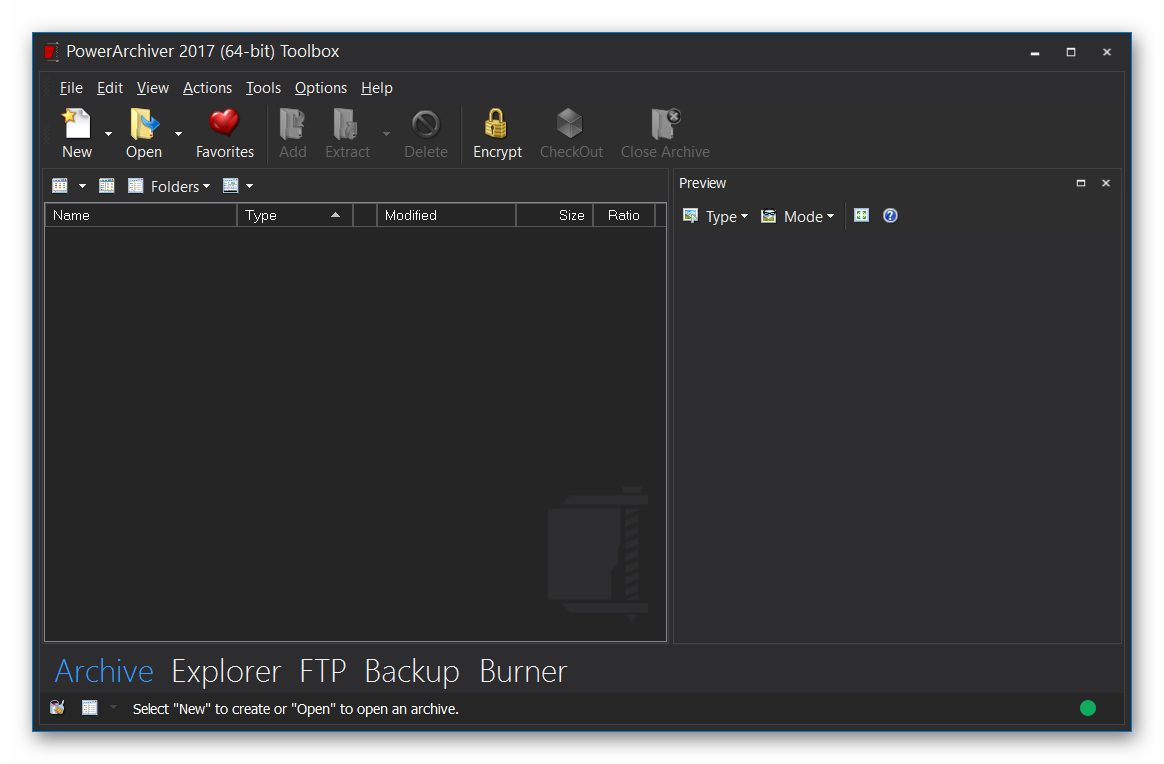
We have released minor update – version 17.00.91, that fixes several reported issues since final release. Please use Patchbeam for the update for best experience (only 1.7MB download). Thank you for your feedback!
Release Notes – PowerArchiver – Version 17.00.91
Improvement
- [PA-1085] – turn on preview for archive mode when browsing hdd
- [PA-1089] – add .tgz to the reflate step same as tar.gz
- [PA-1094] – add classic icons for encode and repair zip
Task
- [PA-1084] – yellow icon for shell context menu
New Feature
- [PA-1101] – enterprise: remove individual modes (ftp, burner, backup, etc) from navbar, based on registry key.
Bug
- [PA-1082] – archive mode – exit archive, folders bar does not show hdd contents
- [PA-1083] – archive mode – clicking on archive in explorer hdd view opens up another window
- [PA-1087] – Additional Skins not showing in PA
- [PA-1091] – checkbox selection shows error in explorer mode in archive/explore modes
- [PA-1092] – show button text uncheck does not save, does not work in backup mode toolbar
Award system for our most dedicated users
With the launch of private beta of PowerArchiver 2017, we have a more formal reward system for users that help us in detecting bugs and suggesting improvements. While previously we have given free licenses to our forum users (in 2013 everyone with more than a few posts received a free license, alpha testers always have updated licenses, etc), now there is a more formal system in place which means that everyone who reports bugs will receive a free license or a free Select maintenance plan after a few reports (depending on severity). Check it out on our forums.
PowerArchiver 2017 with Advanced Codec Pack (.PA) is now available from our download page. For more detailed info on specific features, please check other posts in our blog. We hope you will love PA 2017 as much as we do. Thank you for your support since 1998!
