





Dear PowerArchiver Users,
We are pleased to announce immediate availability of PowerArchiver 2018 18.00.37 – our Release Candidate #1 release of PowerArchiver 2018. The focus for this release has been improving the existing PowerArchiver 2018 features, such as Modern/Ribbon UI, PDF previewer, new and improved ZIP compression and more.
Improvements:
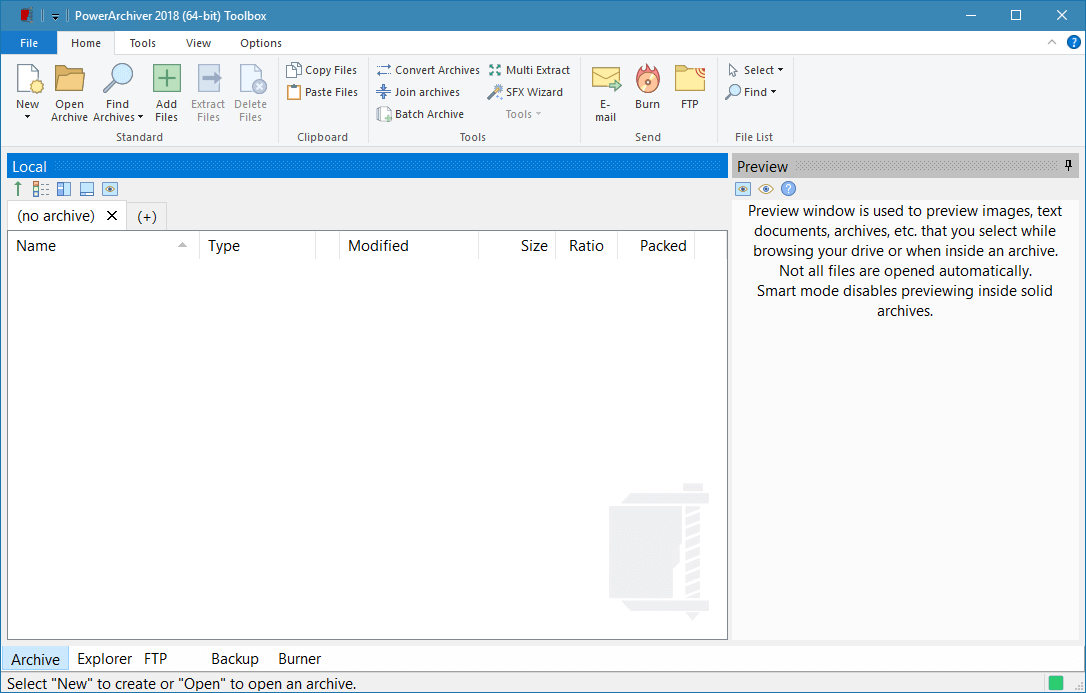
- Major updates to the Modern/Ribbon UI – New set of Office icons for Modern/Ribbon UI. The new office icons provide a more pleasing visual experience, better than our old Windows 10 style icons, and are able to scale with various large dpi settings. New File menu as well as other changes and enhancements.
- Improved PDF previewer – Internal PDF previewer now works better with keyboard commands, scales better when you resize the preview window and is a much smoother experience.
- Reworked Secure FTP client internals – Improved our Secure FTP client when handling multiple files. Many smaller interface issues fixed.
- File wiping works when moving files to archive – Now file wipe method is applied when moving files to archive (option for ZIP format, Add window). File Wipe settings can be set in the Configuration> Security options window.
- Deflate64 checkbox in Ultra/Extreme modes – Added Deflate64 checkbox in ZIP> Ultra/Extreme modes. You can now disable Deflate64 and still use stronger ZIP compression modes.
- Updated Explorer engine – We have updated our Explorer engine that displays the contents of the hard drives inside PowerArchiver. This update solves some of the issues when there are many files present in the folder, as well a fix for using the first letter(keyboard) to jump to filename.
- Better support for ZIP container formats – Added the ability to add and update ZIP container formats such as .jar, .war, etc., and keep the original container format.
- Other Improvements and Fixes – Various fixes/improvements, updated icons, updated translations and much more. Overall, 43 issues closed. For the full list go to our forums.
PowerArchiver 2018 is the most advanced release of PowerArchiver ever. We made PowerArchiver up to 3x faster, a difference that you will notice immediately. It also uses less memory and still looks great. We also implemented a built in PDF engine for easy and fast previewing of all kinds of PDF files. In addition to all of those changes, we have implemented a much stronger ZIP Deflate engine that will create the smallest possible, yet compatible ZIP files with full multi-core support (as many threads as your CPU supports – 16? 24? It works!). Fine tuned the Advanced Codec Pack – .pa format for the best compression and speed on the market! For list of additional changes in the new PowerArchiver 2018, please check out PowerArchiver 2018 Introduction.
We have also implemented a new skinning section on our website, with support for PA 2018 Skins. Check it out now.
PowerArchiver 2018 RC1, with the Advanced Codec Pack (.PA), is now available from our download page as well as Patchbeam for PowerArchiver 2018 users. Thank you for your support since 1998!
